
LicensePlanner is a plugin for LicenseAnalyzer that helps organizations manage, plan, and optimize software license agreements. It consolidates usage, financial, and contractual data to support budgeting, chargeback, and vendor management. By aligning license usage with actual costs and entitlements, LicensePlanner enables smarter decision-making and more efficient IT resource allocation.
“A fair and accurate chargeback and financial integration solution for your organization.”
The primary purpose of LicensePlanner is to map application usage data with financial, contractual, and organizational data for financial planning and IT chargeback/showback.
IMPORTANT: LicensePlanner requires the Base Enterprise technology platform.
LicensePlanner is made up of several powerful components that work together to turn license data into strategic insights. Each component plays a specific role in helping organizations manage costs, track usage, and plan smarter. Let’s take a closer look at what they do—one piece at a time.
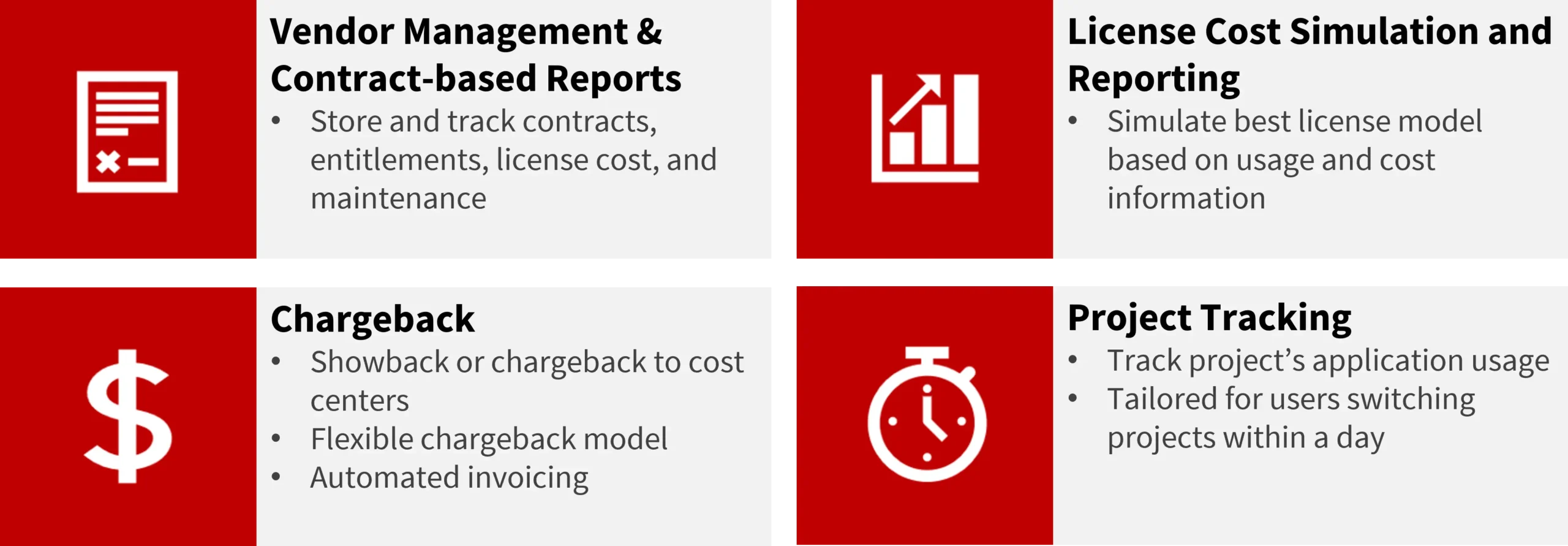
Vendor & Contract Management component helps you keep all your software vendors and contract details in one place—organized, accessible, and easy to manage.
With LicensePlanner, you can:
It’s like having a smart filing cabinet that connects your contracts to real-world usage and spending.
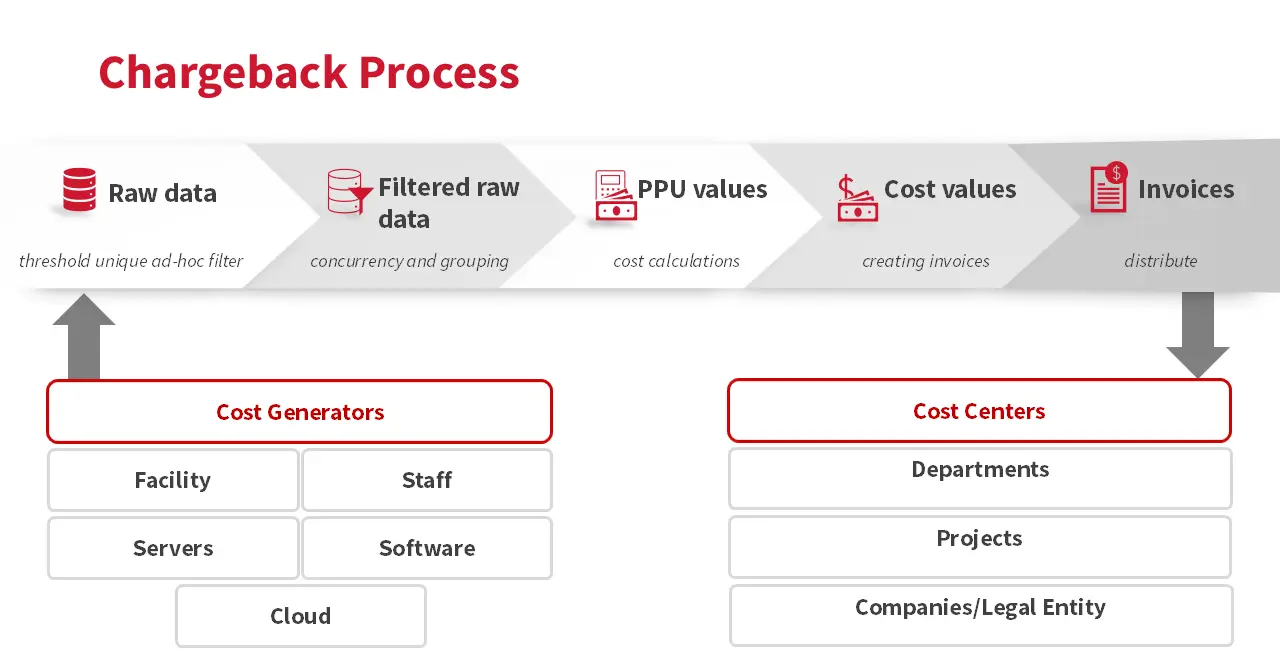
IT Chargeback is how companies track and bill internal teams for the software and IT resources they use—like giving each team a detailed receipt for their tech usage.
With LicensePlanner, this process is:
It works by identifying:
Open iT collects usage data and maps it to the correct cost centers using identifiers such as usernames, project IDs, or computer names—so every cost is assigned accurately.
The License Cost Simulation and Reporting feature empowers organizations to make smarter, data-driven decisions for software renewals and vendor negotiations. With detailed dashboards and customizable reports, you can:
For example, some users may only need occasional access to a feature, while others require full, continuous availability. By modeling different scenarios, you can ensure the right balance of cost and access.
The Enhanced Project-Based Chargeback feature helps track software usage across multiple projects—even when users switch between them during the same day.
With LicensePlanner, you can:
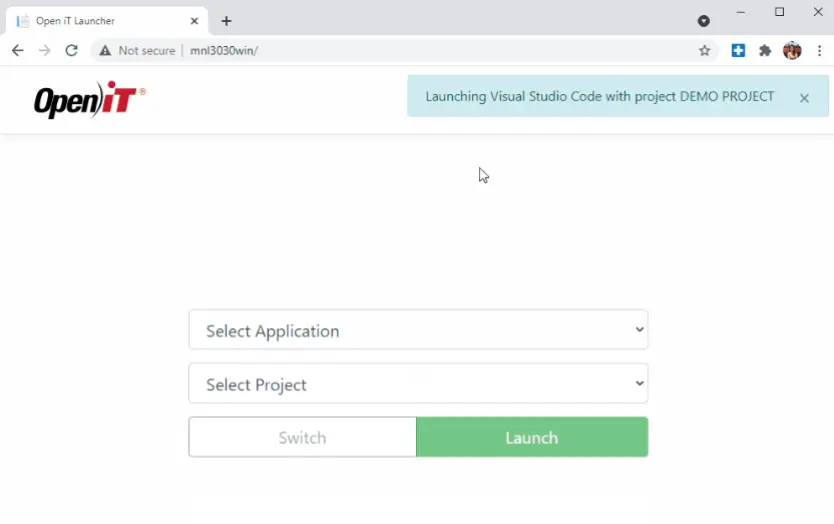
LicensePlanner is designed for a variety of users across the organization—each with their own goals. Whether it’s managing software costs, planning budgets, or making data-driven decisions, this tool delivers value to different teams in clear and actionable ways.
License Managers & IT Asset Managers are the primary operators of LicensePlanner. They use it to track license usage, simulate cost scenarios, and optimize license allocation. Their goal is to ensure the organization avoids overspending on unused licenses and prevents under-licensing in critical areas.

Finance & Procurement Teams rely on LicensePlanner’s cost-based reporting and chargeback features to allocate software expenses across departments or projects. They use it to forecast budgets, automate invoicing, and support vendor negotiations with data-backed insights.

Project Managers & Department Leads use LicensePlanner to monitor license consumption within their teams or projects. This helps them identify usage patterns, justify license needs, and plan for future demand—especially when team members switch between projects frequently.

Business Analysts & Decision Makers benefit from LicensePlanner’s visual dashboards and scenario simulations to support strategic decisions. Whether they are evaluating a new licensing model or preparing a report for leadership, the tool helps translate technical data into actionable business insights.

LicensePlanner provides a centralized, user-friendly interface to manage license contracts and vendor information. It enables organizations to simulate license cost scenarios, optimize license distribution across vendors, and set up alerts to stay on top of renewal dates, budget limits, or usage thresholds.
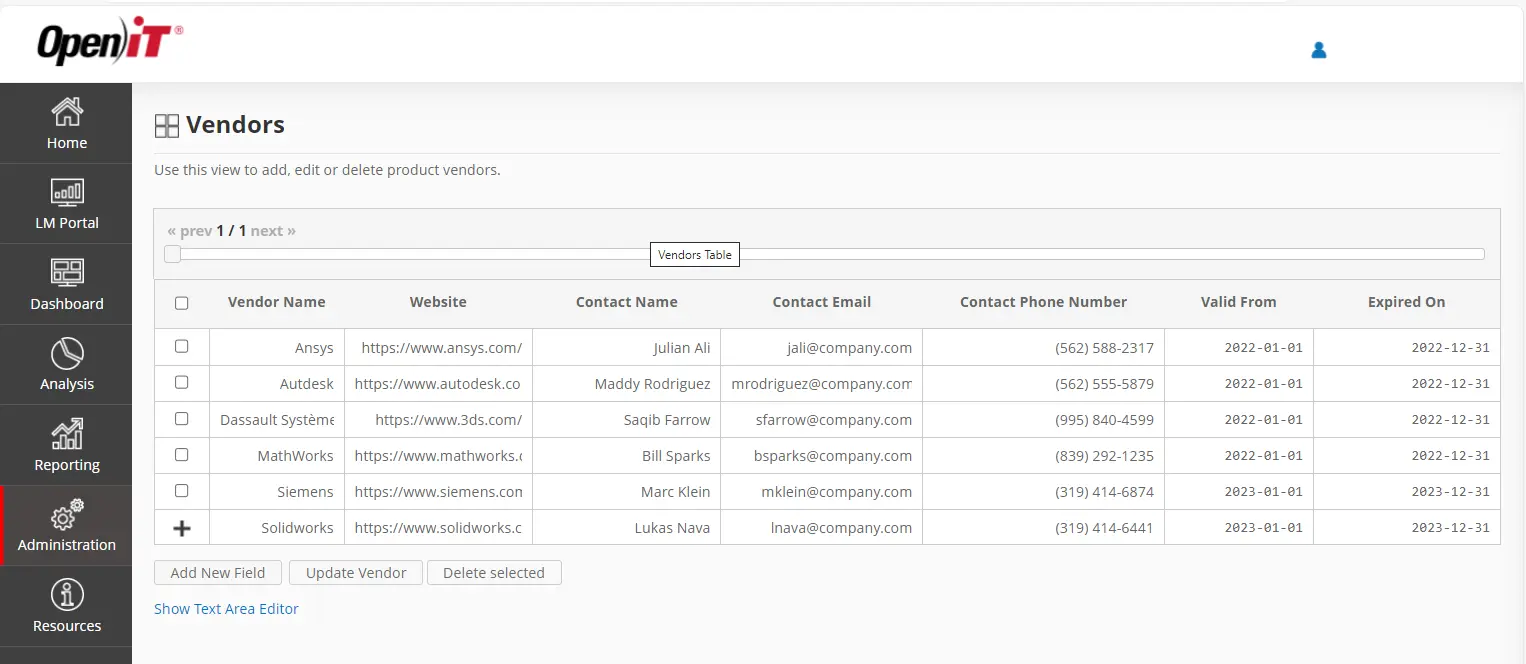
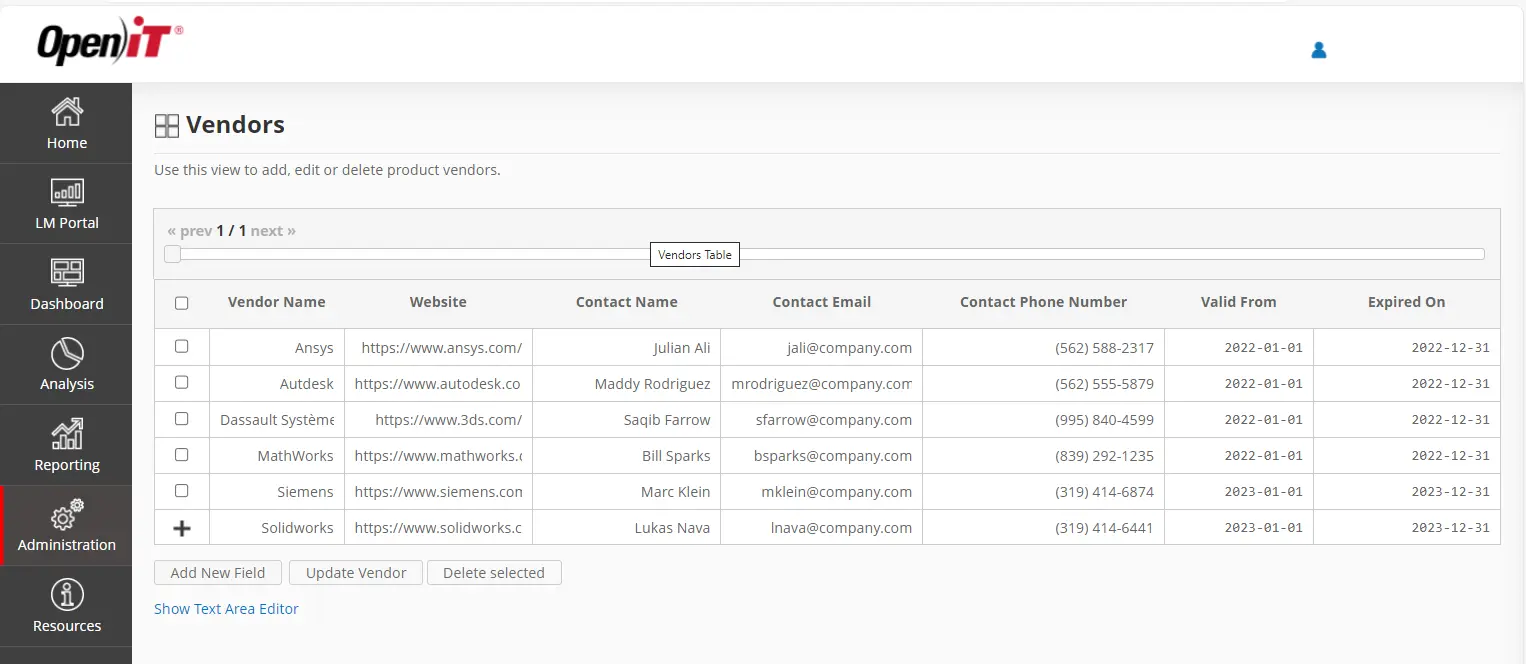
The Vendor Management feature in LicensePlanner allows you to capture and organize all vendor-related information in one place. This includes details of engineering software contracts, vendor websites, contact persons (with their information), and both active and inactive contracts. You can also view detailed records of each contract to support tracking and compliance.
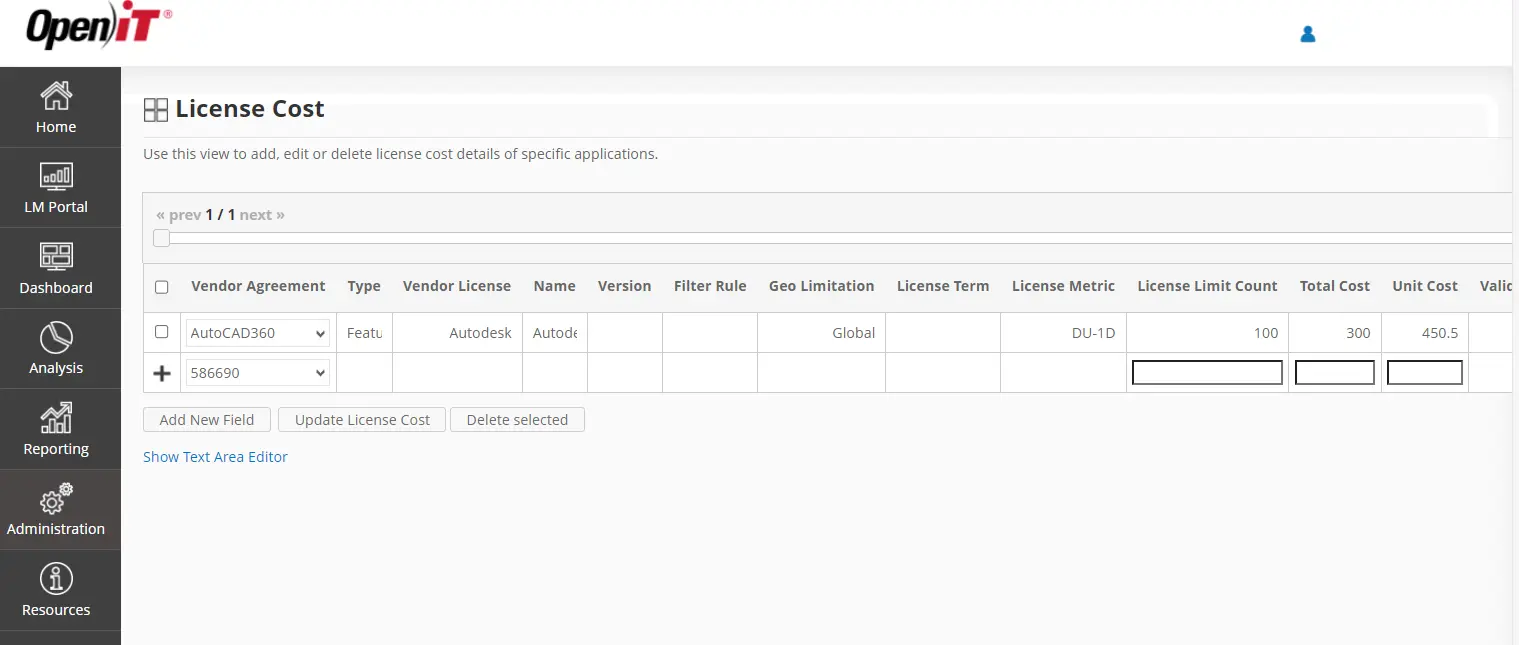
The Cost Catalog for Advanced Invoicing feature makes it easy to assign real prices to software usage. Once costs are entered, the system can automatically generate invoices based on how licenses are actually used, helping save time and reduce manual work. It also supports flexible pricing models, such as per user, per hour, or per session, and ensures that both internal and external billing remain accurate, fair, and aligned with real usage.
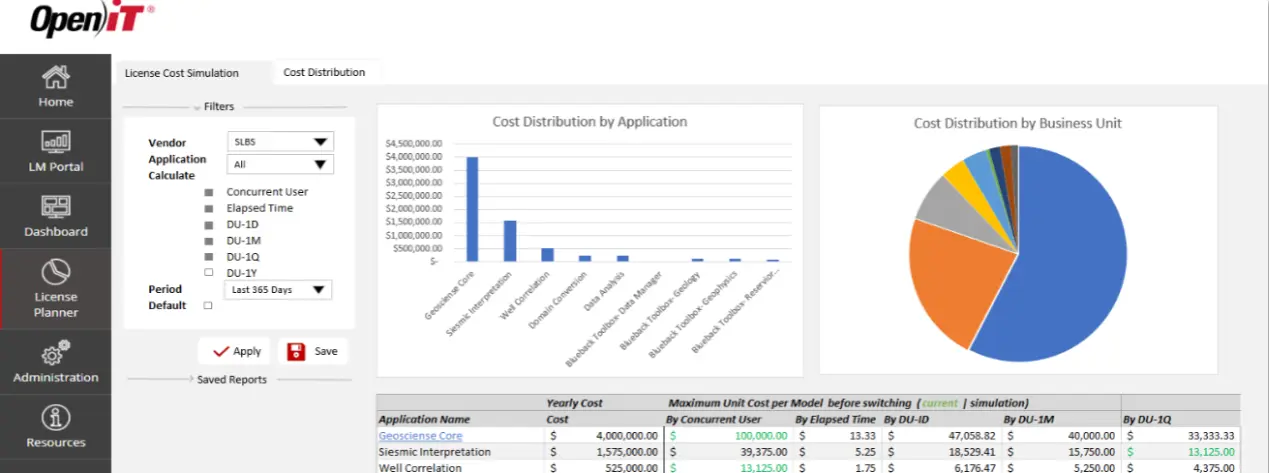
The License Cost Simulation feature allows you to explore different licensing models and forecast costs using real usage data. By comparing scenarios, you can evaluate potential savings, identify the most cost-effective license structures, and make smarter, budget-friendly decisions.
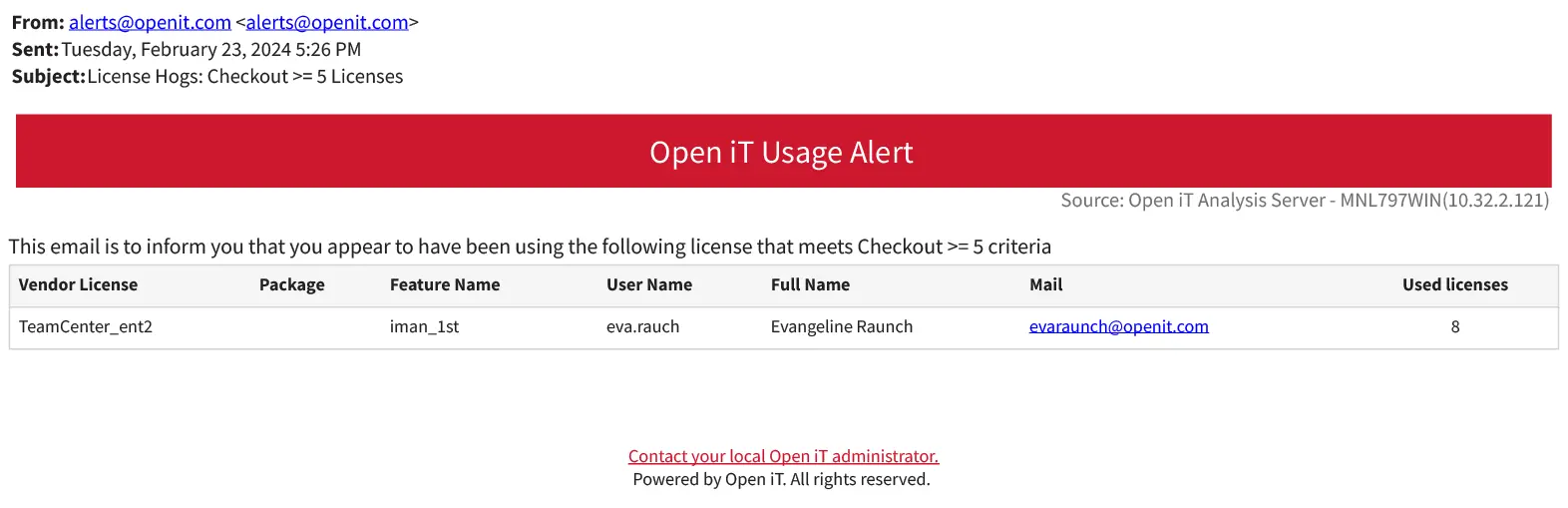
The Alerts feature allows administrators and managers to receive email notifications about license expiration dates. This ensures that upcoming expirations are not missed and can be addressed promptly.

Your information will never be shared with any third party