
At Open iT, we help organizations unlock the full value of their software assets by understanding and optimizing their usage. For over two decades, we’ve been developing advanced tools that provide clear, actionable insights into software usage and licensing. Our solutions support smarter decision-making, cost efficiency, and compliance across a wide range of industries. What drives us is our commitment to innovation, transparency, and making a meaningful impact through technology.
In this lesson, we’ll explore the Open iT portfolio of solutions and gain a clear understanding of the benefits and advantages of metering, analyzing, and optimizing software usage. Whether you’re new to the topic or looking to strengthen your knowledge, this introduction will set the stage for deeper learning.
Ready to dive in? Let’s begin!
“We spend millions on subsurface software. A solution like Open iT is a no-brainer.” — Matt Holingsworth
Senior Systems Analyst, Devon Energy
Before diving deeper, take a moment to explore how Open iT’s solutions are helping organizations make informed, cost-effective decisions.
Managing software licenses efficiently starts with clear visibility, smart insights, and continuous action. That’s why at Open iT, we guide you through three key steps: Meter, Analyze, and Optimize — so you always stay in control of your software assets.
The Open iT Product Suite is designed to address every aspect of software asset management — from tracking usage to optimizing licenses and forecasting demand. In this section, we’ll provide a brief introduction to each solution, with dedicated lessons to follow up and explore them in greater detail.
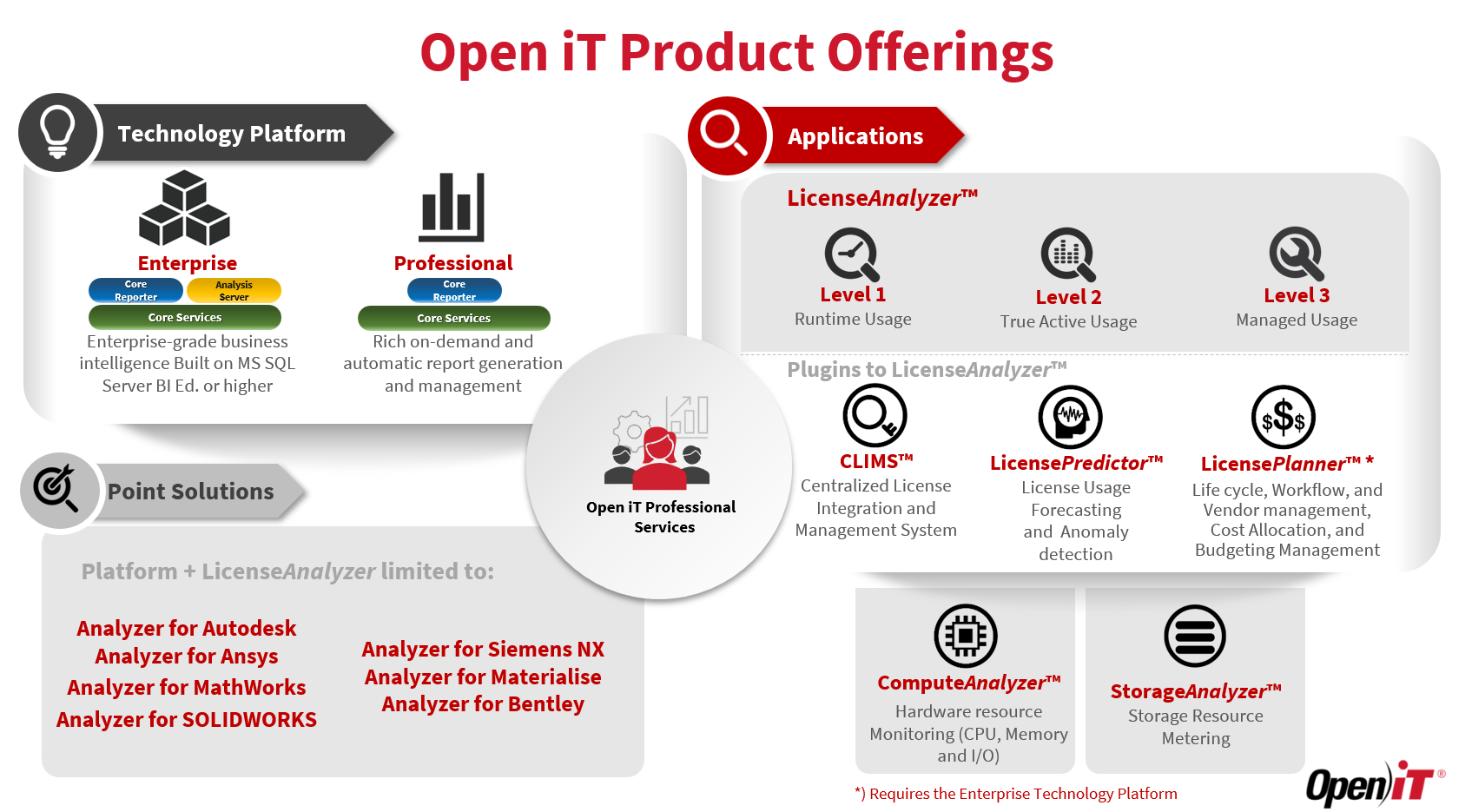
A required component in the installation of Open iT, the Technology platform provides the reporting and administrative interfaces, and the true use technology responsible for data processing.
There are two options for the Technology Platform.
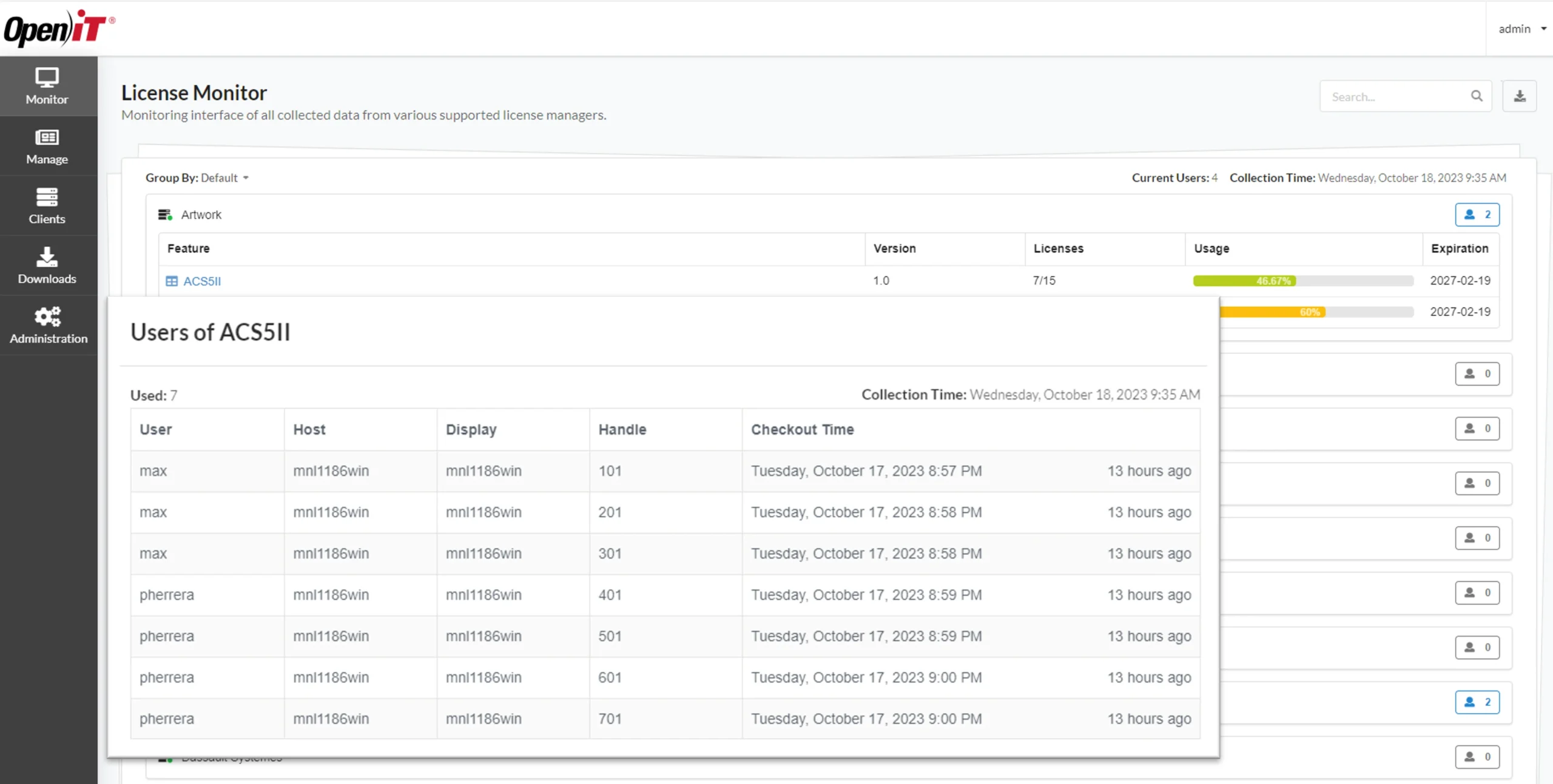
The primary tool for software usage metering, analysis, and optimization, the LicenseAnalyzer. Its core function is to provide detailed metering and reporting on software license usage across the organization, by collecting usage data from a wide variety of sources. It helps identify underused licenses and optimize allocations showing when and by whom these assets are being used over time, by location, business unit, or project group.
LicenseAnalyzer also includes three optional plug-ins for advanced features:
The Centralized License Integration and Management System (CLIMS) is a centralized portal for managing license files, option files, and license servers. CLIMS enables real-time administration, remote control, and monitoring of license servers across the enterprise. As a plug-in of LicenseAnalyzer, it works alongside it to maximize license availability and minimize downtime.
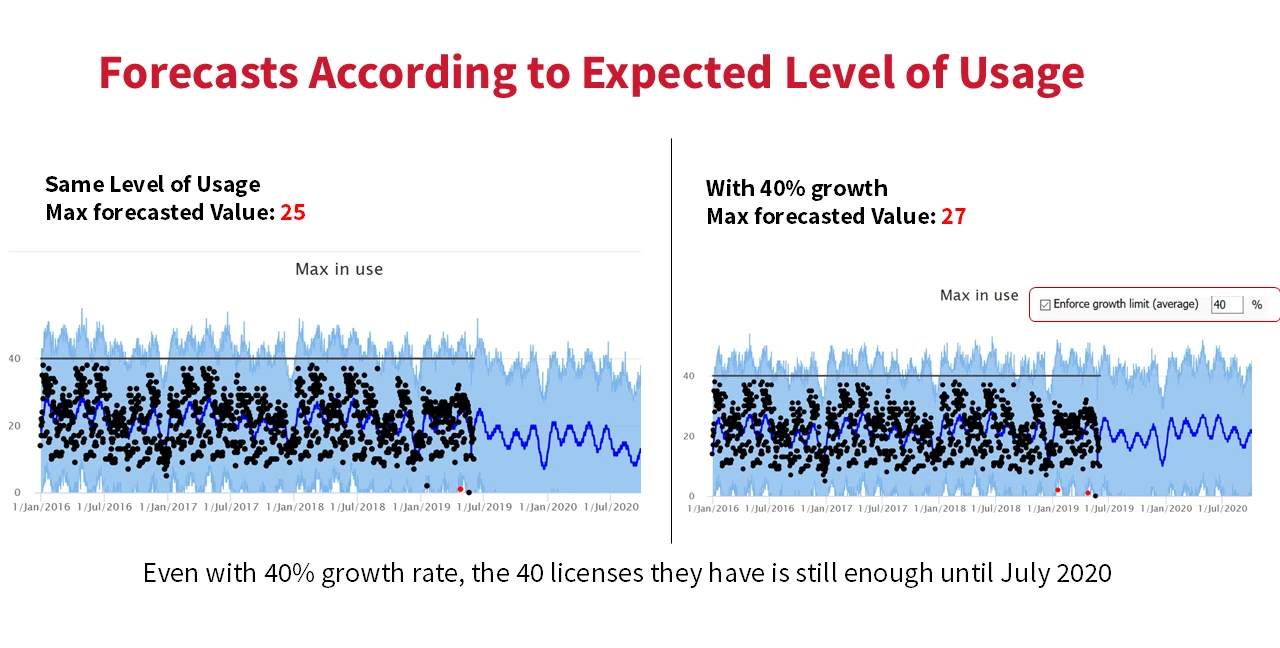
A forecasting and anomaly detection tool that analyzes current and historical usage data to predict future trends in license usage and identify possible anomalies. This helps teams plan purchases and renewals with greater accuracy. As a plug-in for LicenseAnalyzer, it enhances LicenseAnalyzer with predictive analytics that support proactive decision-making.
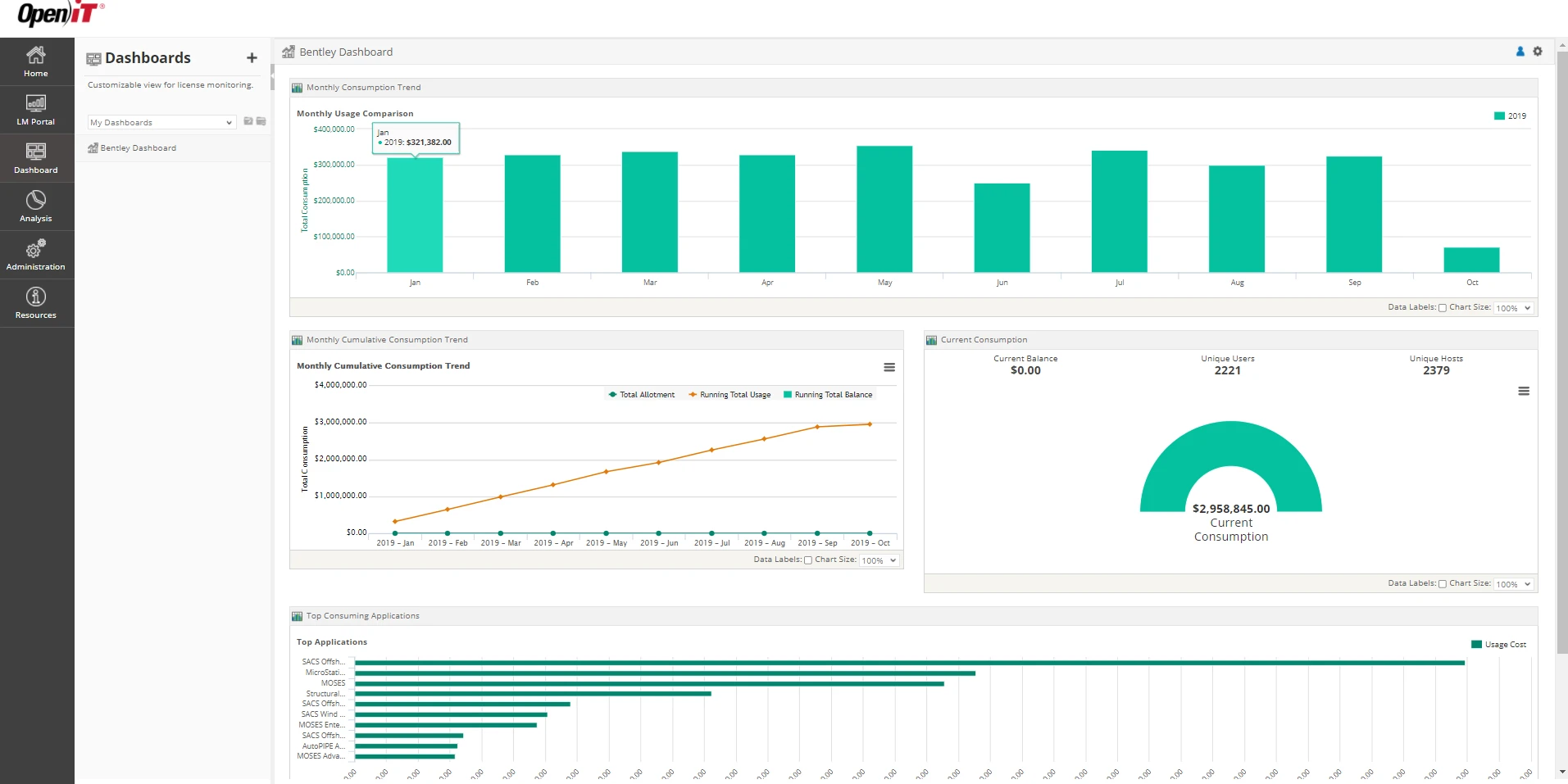
Supports planning and managing license agreements, enabling users to gain deeper insights into optimizing IT resource allocation. It helps forecast needs, track usage trends, and align license investments with actual demand.
As another plug-in for LicenseAnalyzer, it extends its planning and budgeting capabilities.
ComputeAnalyzer monitors CPU, memory, and I/O usage across GRID and high-performance computing environments. It provides a centralized view of system resource usage, helping reduce costs by identifying underutilized software and enabling accurate, flexible budgeting.
An effective IT asset management tool that enables administrators to discover storage and user trends, the StorageAnalyzer monitors and reports on storage usage across servers and users, helping reduce storage costs, provide full visibility into storage resources, and improve data management.
Similar to LicenseAnalyzer but dedicated to analyzing license usage from a specific vendor:
Each of these slides contains a short question to help you remember the key information we just covered.
Select true?

Your information will never be shared with any third party