A monitoring tool that helps organizations understand how their computing resources—like CPU, memory, and I/O—are being used. It provides a clear picture of how applications and hardware perform across workstations, servers, and even GRID environments.
“Accurate view of on-premise system utilization including GRID, high-performance computers, and servers.”
This helps teams make smarter decisions about resource allocation, system upgrades, and cost optimization—without needing to dive into technical details.
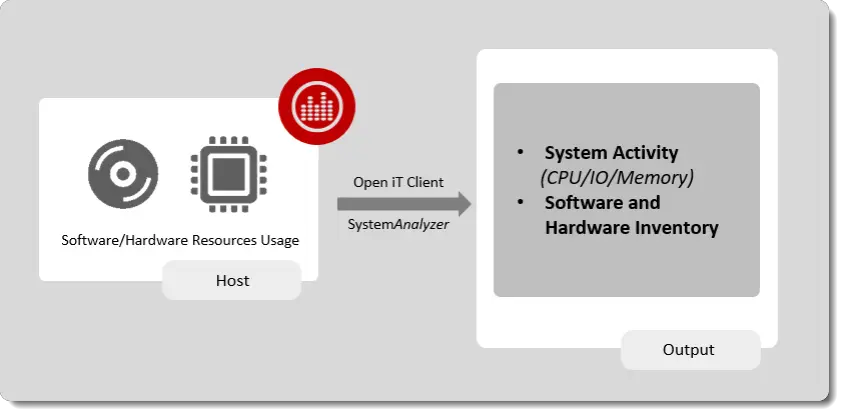
Open iT Clients installed on workstations collect data on software and hardware resource usage. The data collected is then processed and stored in a format suitable for Open iT Server processing.
ComputeAnalyzer offers practical advantages for organizations that want to better understand and manage how their computing resources are used. The following benefits highlight how the tool supports cost control, performance improvement, and smarter planning—without requiring deep technical expertise.
ComputeAnalyzer is for anyone who wants to better understand data—no technical background required. It’s used by teams inside and outside the company to explore trends, track performance, and make informed decisions with ease. Whether you’re analyzing trends, monitoring performance, or identifying opportunities, ComputeAnalyzer helps turn complex data into clear, actionable insights.
IT Infrastructure Teams use ComputeAnalyzer to monitor system health, identify bottlenecks, and ensure hardware is used efficiently.

Business & Operations Analysts users rely on ComputeAnalyzer to analyze usage trends and support planning for future capacity needs or system upgrades.
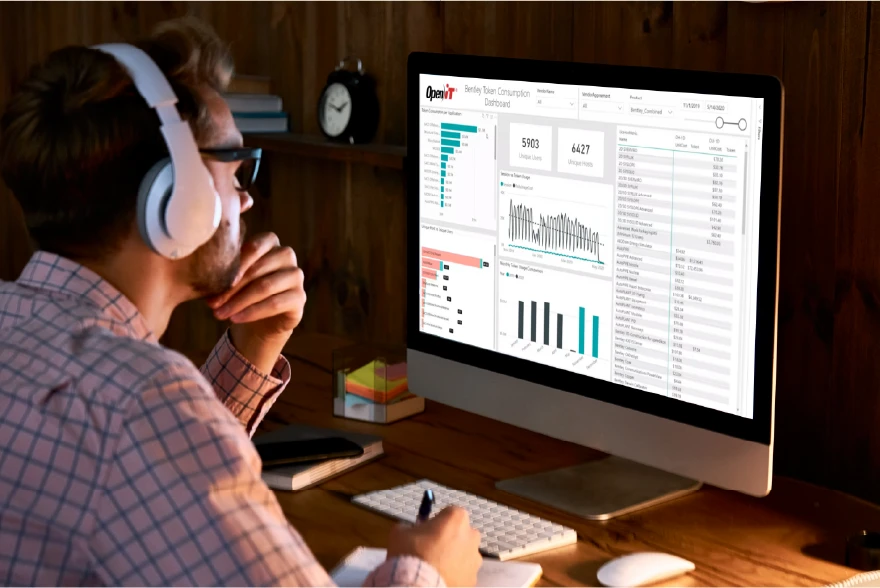
By leveraging usage data, Finance & Procurement Teams can align spending with actual needs and support cost recovery through chargeback models.

For Engineering & Simulation Teams working in environments with heavy computing demands—such as simulation or rendering—ComputeAnalyzer ensures that jobs run on the right machines and resources are not wasted.

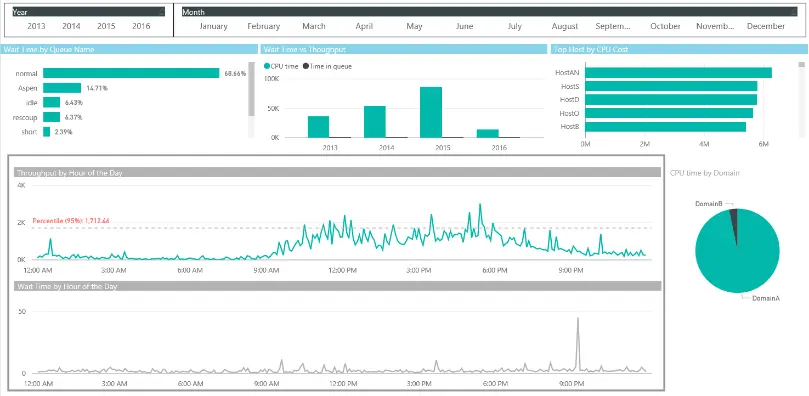
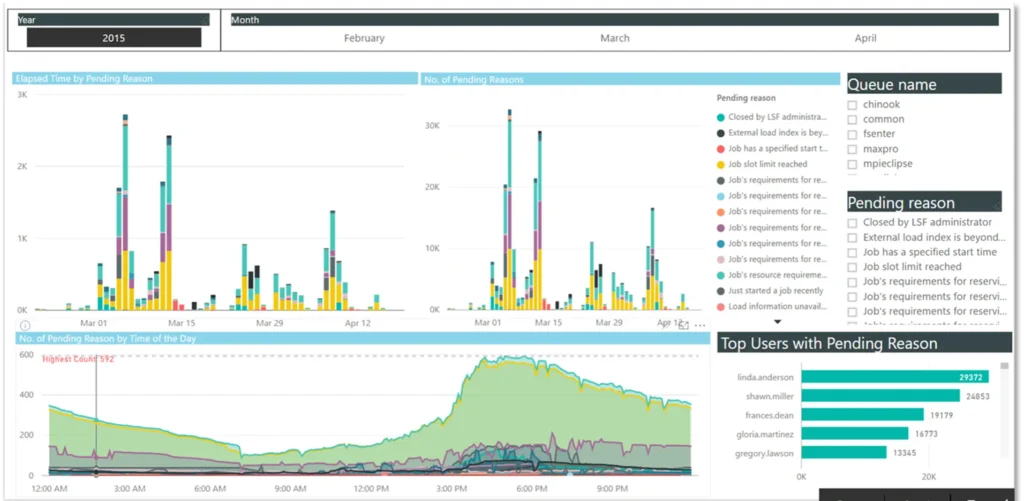
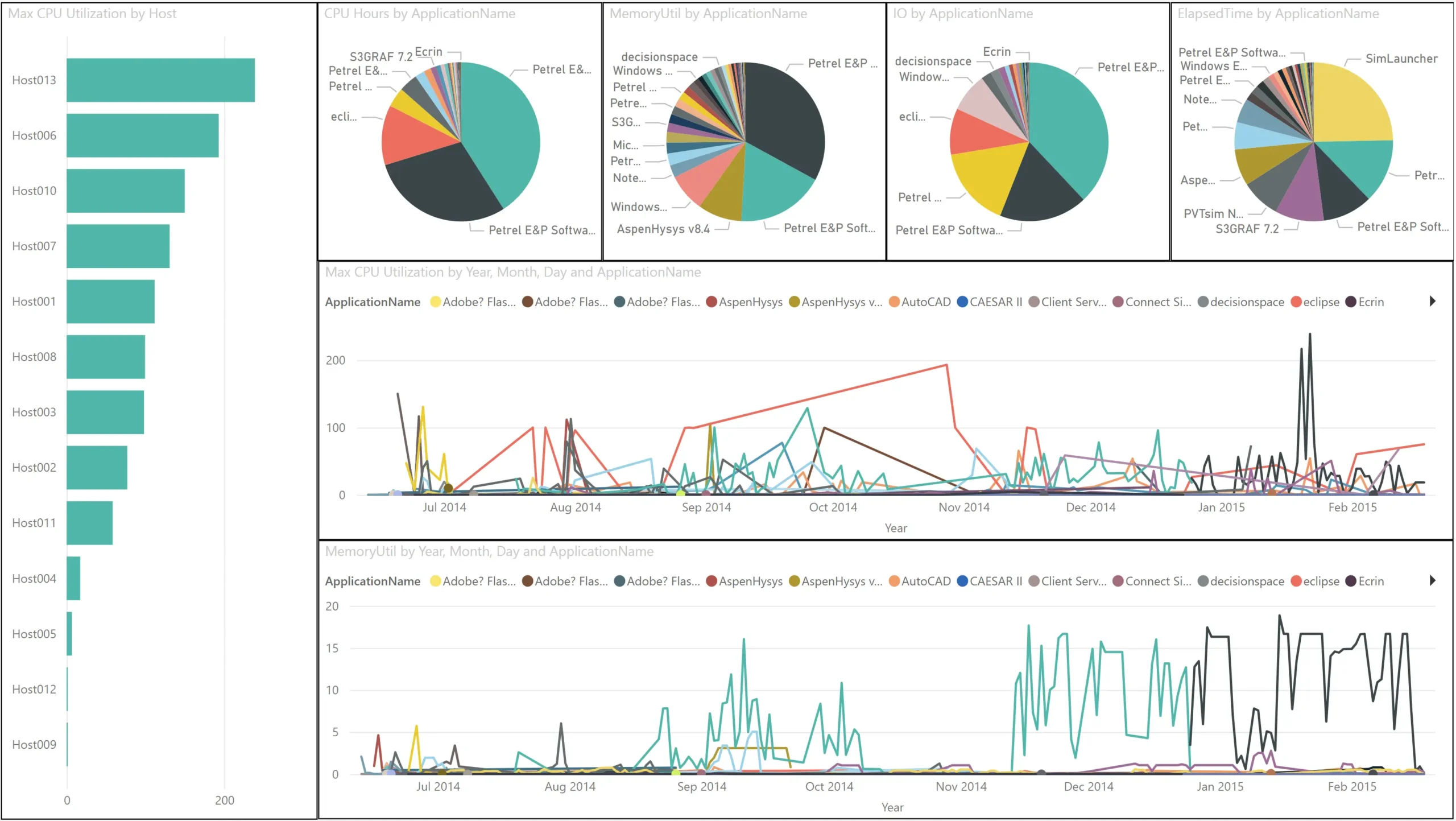
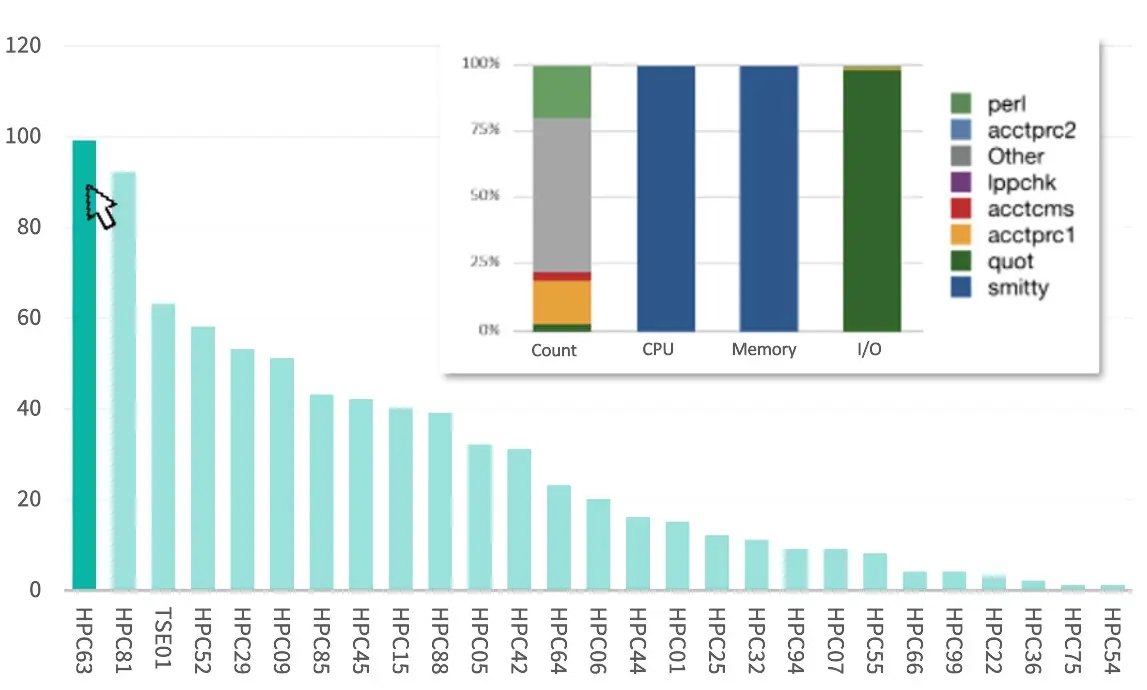
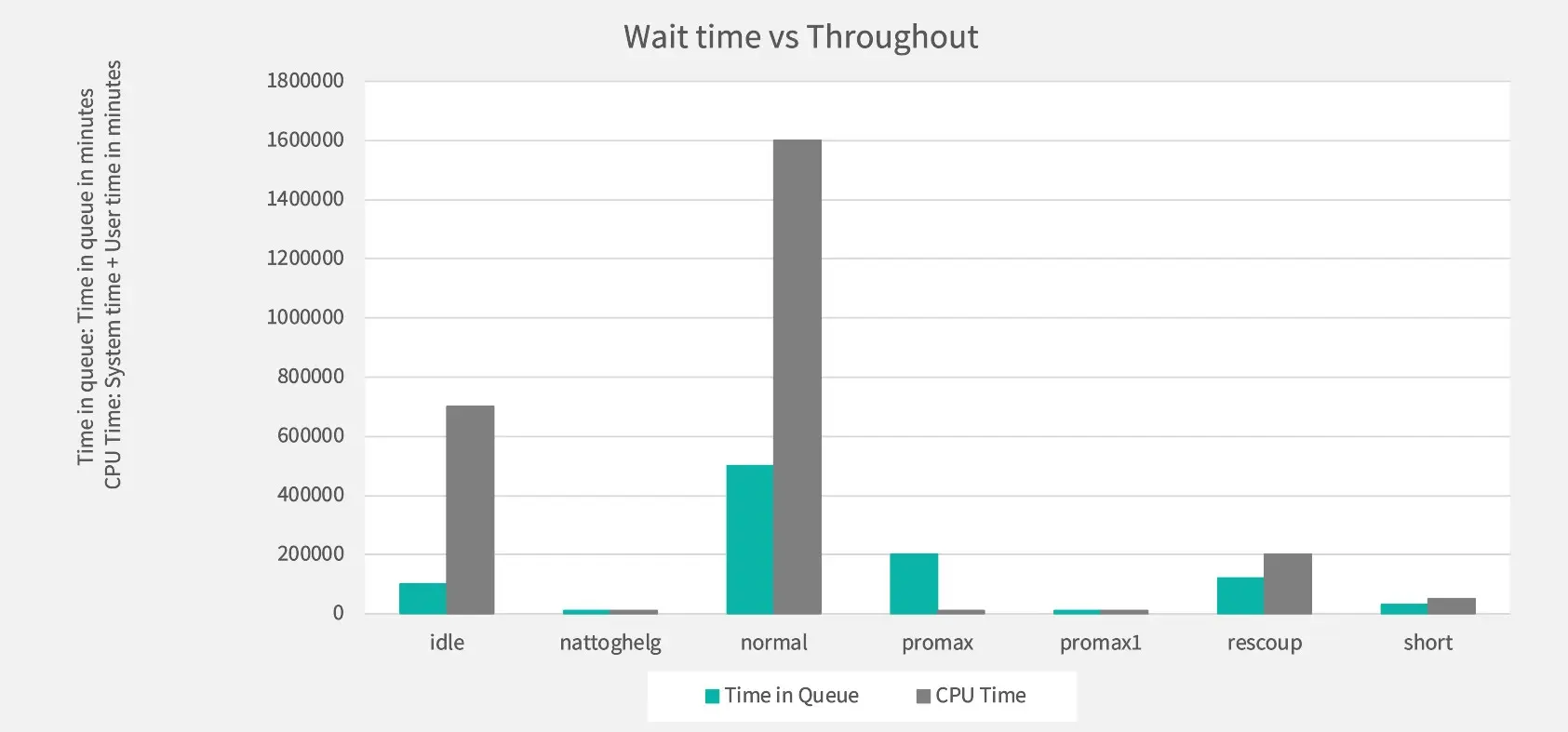
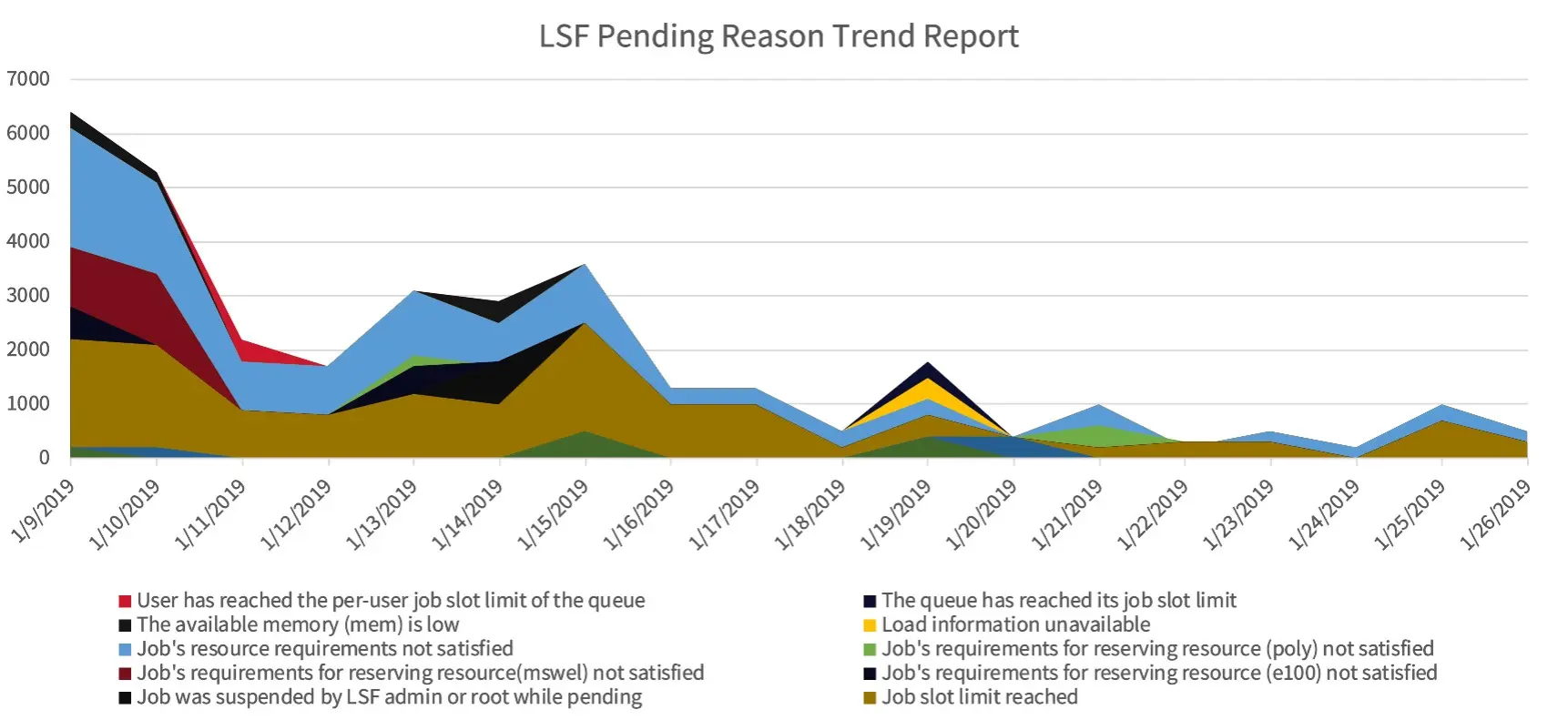
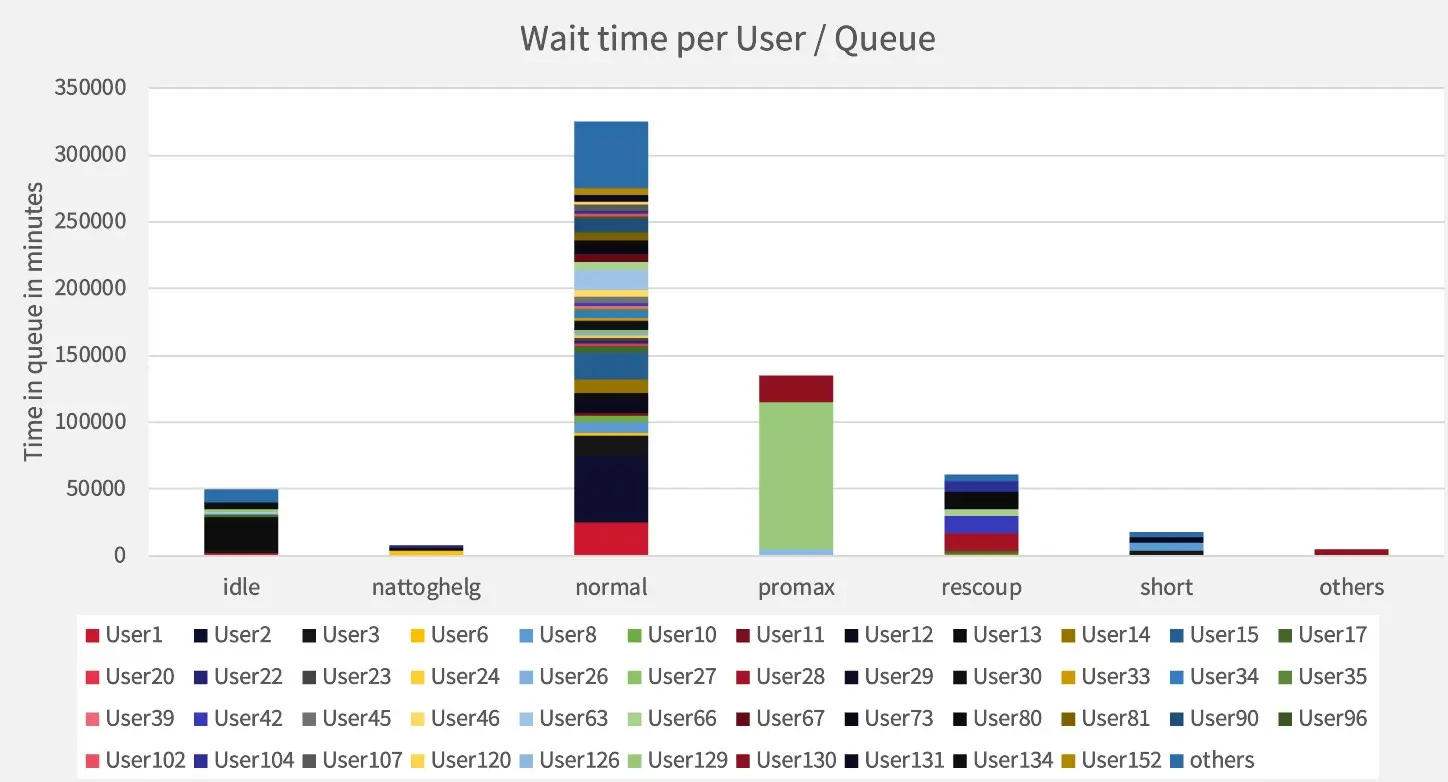
The reports below provide clear insights into system performance, resource usage, and job activity, helping teams optimize efficiency and make data-driven decisions

Your information will never be shared with any third party